
Installation video
The video below details how to install the Free version of Really Simple Security. For a written explanation with screenshots, refer to the guide below this video.
Downloading the plugin
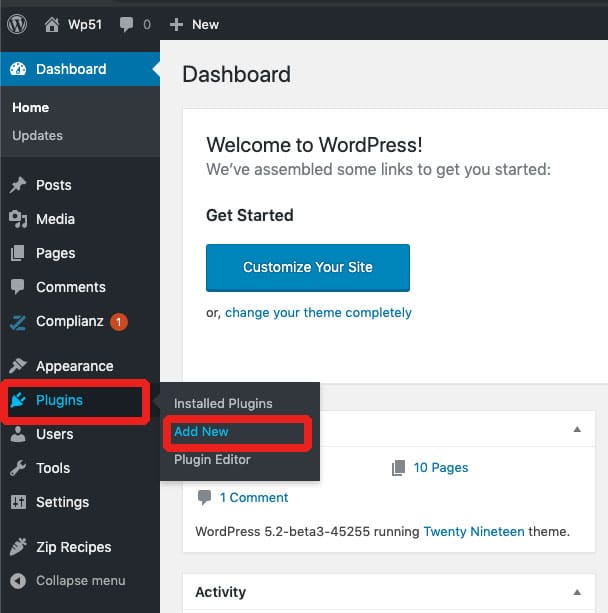
To download Really Simple Security, navigate to ‘Plugins -> Add New’ menu in your WordPress admin area:
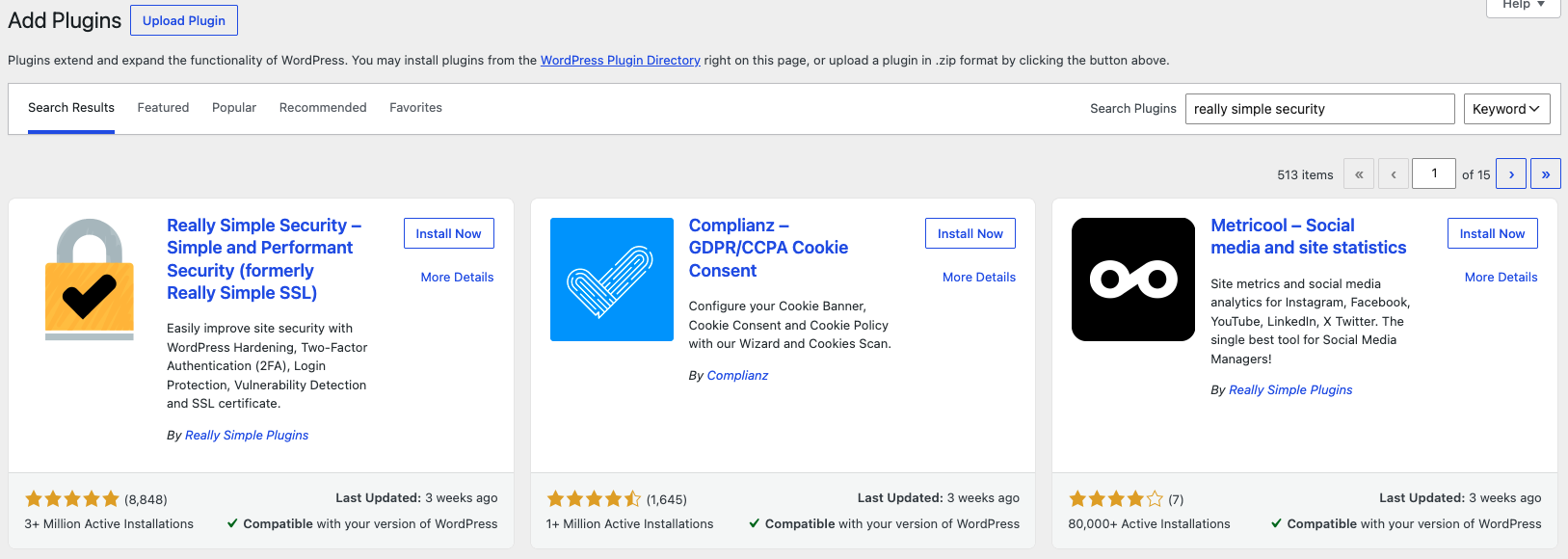
Type ‘Really Simple Security’ in the top right search bar (or ‘Really Simple SSL’). Locate Really Simple Security and press the ‘Install’ button:
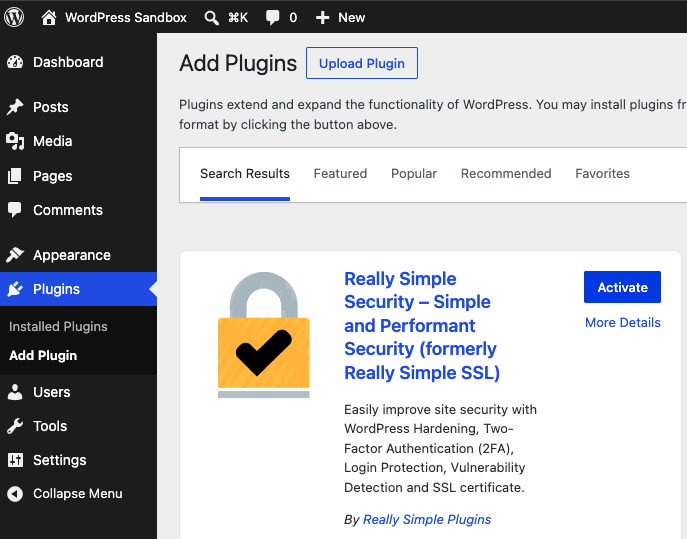
Once installed, press ‘Activate’ to activate the plugin:
The default configuration for the plugin will be activated after completing the onboarding, which will work fine on most sites. If you wish to make any changes, such as enabling a 301 .htaccess redirect, you can navigate to ‘Security -> Settings -> SSL’ to change the plugin settings.
Experiencing issues? Please let us know.